The Linktree alternative for professionals.
Moving from Linktree? Keep every link. Add the story behind them. Bring every button, group, thumbnail and social over from Linktree, then add what a list of links can’t show: your work, proof and a way to get in touch.
Last updated
- Step 1
- Save or copy your own Linktree page; we never scrape it.
- Step 2
- Ivo rebuilds every link, group and thumbnail as a featurd page.
- Step 3
- Add work and proof, then switch your bio link when you're ready.
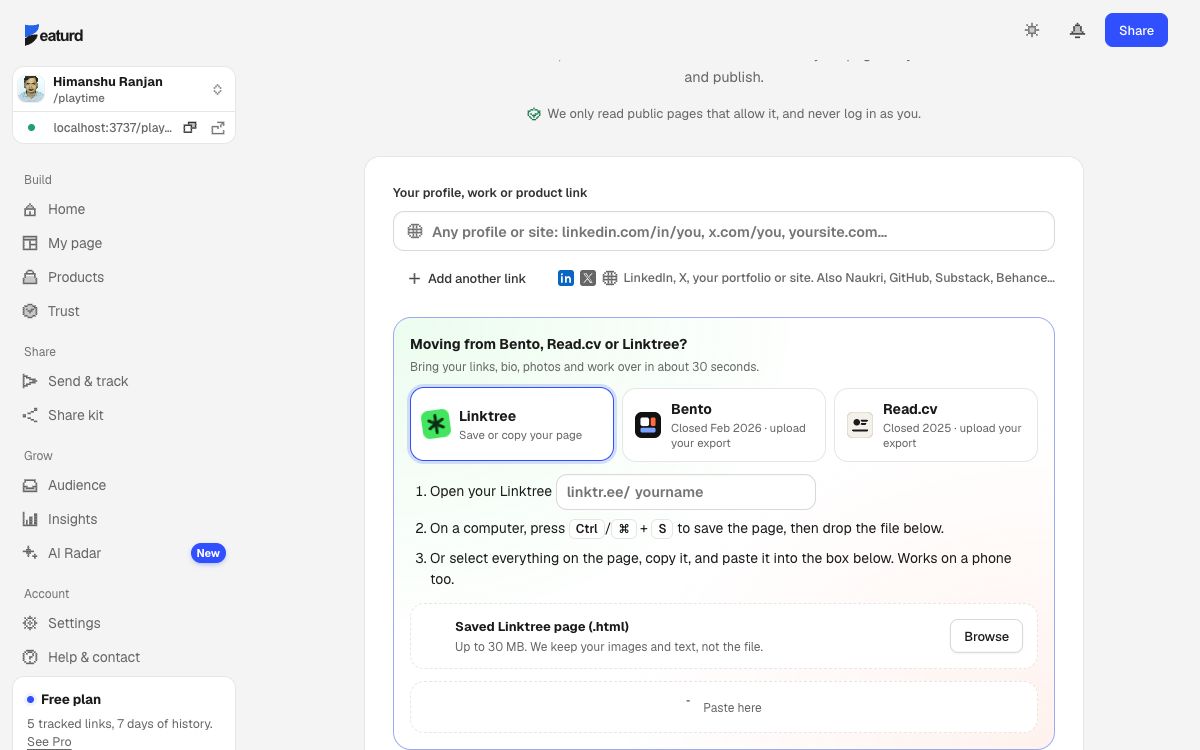
- 1Open your Linktree and save the page (Ctrl/⌘ + S). On a phone, select everything and copy it.
- 2Sign up, choose “Moving from Linktree?” and drop the file, or paste.
- 3Check the draft, pick a look and publish. Your Linktree keeps working; you decide when to switch.
- Every link with its title and thumbnail, in order
- Groups as sections with headers
- Social icons (Instagram, X, YouTube, LinkedIn…) and the rest as buttons
- Your photo, bio and button colour
- YouTube and music links as embeds
- Linktree asks apps not to read its pages automatically, so we never fetch them: you upload or paste your own page.
- Locked, age-gated and sensitive links are skipped. Add them again with a lock in the editor.
- Linktree-only blocks without a link (forms, tip jars, shop checkouts) aren’t brought.
Questions
Why can’t I just paste my linktr.ee link?
Linktree’s robots.txt asks apps not to read profile pages, and we respect that. Saving or copying your own page takes about ten seconds.
Will my links still be tracked?
Yes. Every featurd button counts clicks, and you see where visitors came from.
Also moving from Bento or Read.cv? · Our promise: export everything, any time