Your page can have your own ideas.
Go beyond a preset. Add your own design details and interactions with HTML, CSS and JavaScript, alongside the page sections you already use.
Custom code, as part of your own page.
Custom CSS and code blocks on every plan. Keep the context visitors need alongside the action you want them to take.
Explore the product walkthrough →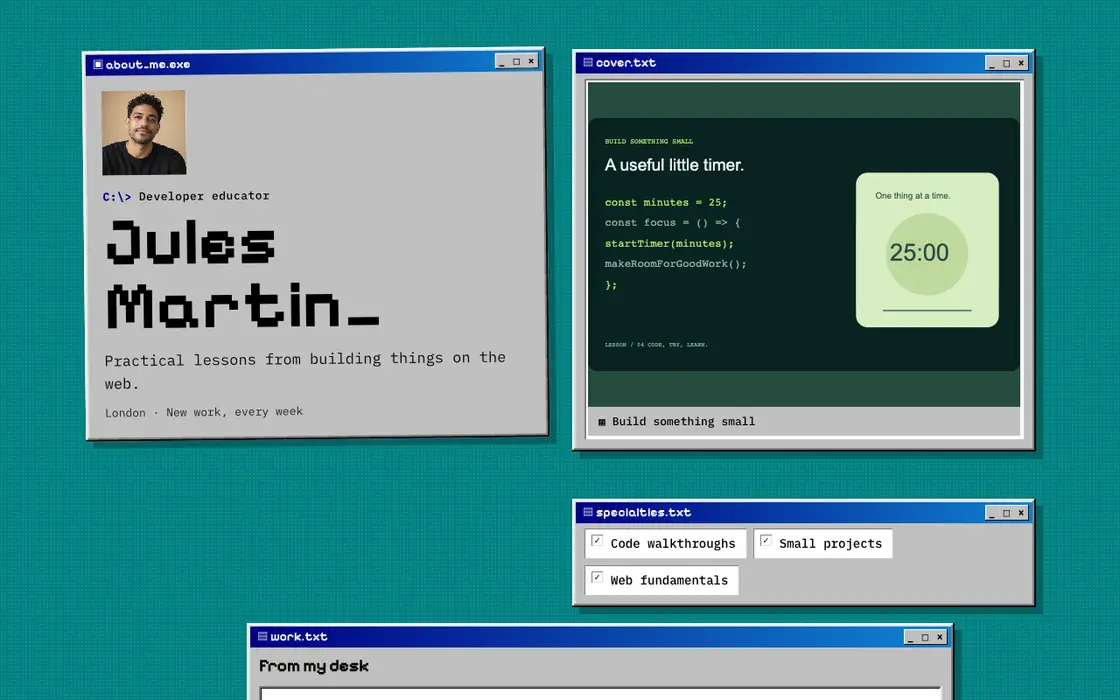
How custom code works
Start with your content
Build a useful page first: who you are, the work you want to show and a way to contact you. Then choose the parts you want to customize.
Add your styles and interactions
Use custom CSS for styling, or a custom code block for HTML and JavaScript. Scripts run inside their isolated frame rather than getting access to your account.
Preview, review and publish
Check the result on mobile and desktop. Keep important public facts readable, respect reduced-motion preferences and publish once the page works for your visitors.
What you can do
- Custom CSS and code blocks on every plan
- HTML and JavaScript within an isolated frame
- Your own visual direction and a working website export
Questions
Is custom JavaScript a Pro feature?
No. Custom JavaScript is available on every plan.
Can my script access the builder or another visitor’s account?
No. Custom scripts run inside their isolated page frame, with separate restrictions from the main application.
Your next opportunity starts with your work.
Build a page that makes the next step clear.