The right link in bio depends on one question: what do you want the visitor to do? A freelancer, a job seeker and someone selling templates need different pages, even if they use the same tool. Below is a checklist for each goal, in the order things should appear. Pick your main goal; you can have one secondary goal, but not five.
Quick steps
- Choose one main goal for your link.
- Write a headline that says who you are and who you help.
- Add the goal's essentials from the checklist, in order.
- Put the main action button in the first screen.
- Remove anything that doesn't help the goal.
- Test on a phone and review clicks after two weeks.
Goal: win clients (freelancers, consultants, agencies)
- Headline: what you do and for whom.
- Two or three results: project, client type, outcome.
- Services with a starting price or range.
- One or two testimonials with names and roles.
- Primary button: book a call or enquire. Secondary: email or WhatsApp.
Goal: get hired (job seekers)
- Headline: target role, level, focus.
- Two or three projects as problem, action, result.
- Resume download and LinkedIn.
- What you're looking for: role, location, remote.
- Primary button: email or book a short call.
Goal: sell products (templates, e-books, courses)
- Headline: the outcome your products create.
- Your best-selling product first, with cover, price and buy button.
- A free lead magnet for people not ready to buy.
- Reviews or results from buyers.
- Other products below; contact at the end.
Goal: take bookings (coaches, photographers, tutors)
- Headline: who you help and the result.
- What a session includes and its price.
- Proof: testimonials, a gallery or credentials.
- Primary button: book, with availability shown.
- FAQ: cancellation, location, what to prepare.
Goal: grow an audience (creators, writers)
- Headline: what you make and how often.
- Your latest or best piece embedded.
- Newsletter sign-up as the main action.
- Social links as icons, not buttons.
- Brand-deal or collaboration contact last.
What to leave off
Links to every social profile as full-width buttons (use icons). Old promotions. Links to your company's site when the page is about you. Three ways to contact you; pick one primary. Anything you wouldn't be happy for your best prospective client to click first.
Order matters more than design
Most visitors see one screen on a phone and decide. Put the headline and the goal button there. Proof comes next because that's what makes the button feel safe to tap. Everything else is below the fold. Run your page through our free link in bio grader for a quick read, and see link in bio for professionals for the longer version of this advice.
Examples of headlines that work
- Freelancer: "Webflow sites for early-stage B2B startups. Live in 3 weeks."
- Job seeker: "Data analyst · SQL, Python, Tableau · open to roles in Bengaluru or remote."
- Seller: "Notion templates that run a one-person business."
- Coach: "Career coaching for engineers moving into management."
- Creator: "Weekly essays on design and craft. 4,000 readers."
If you have two goals
Most people do: a freelancer who also sells templates, a job seeker who also freelances. Choose which one pays the bills in the next three months and make it the first screen. Put the second goal in its own section lower down with its own heading, so visitors who want it can find it without the two competing at the top. If the two audiences are completely different (recruiters and craft-shop buyers), consider two separate pages and use the right link in each bio.
Revisit the order every couple of months. Goals change, and a page that still leads with last season's offer quietly loses you the visitors you want now.
Check it like a stranger would
Send your link to a friend who doesn't know your work and ask three questions after ten seconds: what do I do, who is it for, and what should they tap? If any answer is wrong or slow, fix the headline or the button before adding anything else. This one test catches more problems than any design change.
Keep it short enough to finish
A page that tries to hold everything ends up with nothing anyone reads. A good rule: if a visitor scrolling at normal speed can't reach the end in about thirty seconds on a phone, cut something. Move archives, older projects and long explanations to separate pages and link them, so the main page stays focused on the goal.
Short doesn't mean empty. Every item that stays should earn its place by helping the visitor decide: a result, a price, a review, a button. Decorative sections, long welcome paragraphs and lists of tools you use rarely help anyone decide anything, so they are the first to go when you trim.
One more test before you publish: read every button label out loud. If a label doesn't say what happens when you tap it ("Links", "More", "Click here"), rewrite it as an action with an outcome: "See three case studies", "Book a 15-min call", "Get the free checklist".
How featurd does it
Tell featurd your goal and Ivo drafts the page in that order from your LinkedIn, resume or current page: headline, proof, offer and the right button. Sections for projects, testimonials, services, products, bookings, newsletter and contact are built in, and 32 looks are free to use. Pro adds paid products at 0% platform fee, a custom domain, chat with visitors and full analytics history.
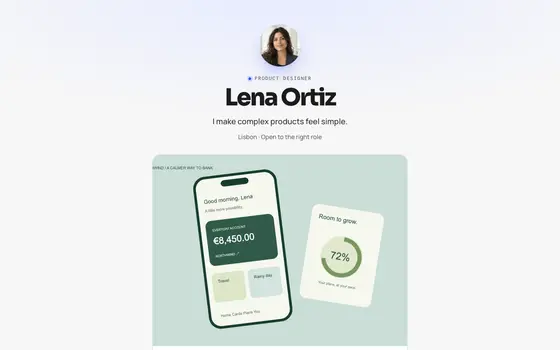 Signal
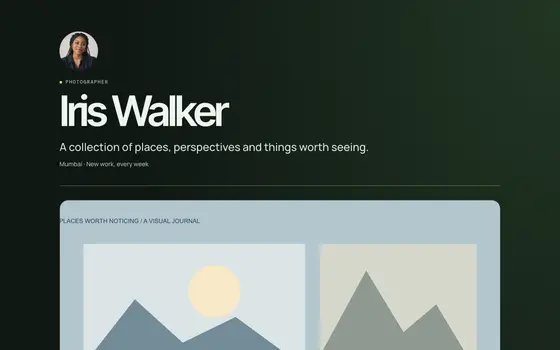 Venture
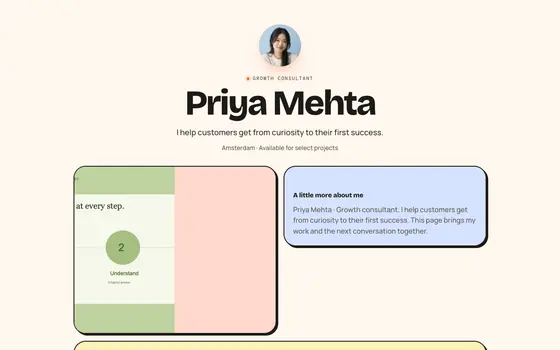 Bento Candy