A portfolio link turns a resume's claims into evidence. But a lot of links never get clicked: they're buried in a footer, broken when the PDF is parsed, or point to a page that takes a minute to make sense. This guide covers where the link goes, how to format it so it survives applicant tracking systems (ATS) and PDF export, and what the page needs to show when someone does click.
Quick steps
- Choose one short, permanent URL you control.
- Put it in your resume header next to email, phone and LinkedIn.
- Write it as plain text (yourname.com/work) and also make it a clickable hyperlink.
- Export to PDF and test the link; paste the resume into a plain-text box to check it survives.
- Optionally link specific projects inline under the relevant role.
- Make sure the page itself loads fast on a phone and leads with your best work.
Where the link goes
Put it in the header, on the same line as your email, phone and LinkedIn. That's where recruiters and ATS parsers look for contact details, and it's the only place every reader sees. A footer or a "Links" section at the end gets missed.
Add project-level links too, when they help. Under a role, a line like "Redesigned checkout (case study: yourname.com/checkout)" gives a recruiter a reason to click at the exact moment they're curious.
Format it so it survives ATS and PDF
Many ATS strip hyperlinks when they parse a resume, and some recruiters print or read a plain-text version. So the visible text should be the URL itself, not "Portfolio" or "click here". Write yourname.com/work and then also make it clickable.
- Drop https:// and www. from the visible text; keep them in the hyperlink.
- Avoid link shorteners (bit.ly and similar): they look like spam and can expire.
- After exporting to PDF, click every link in the PDF itself.
- Copy the whole resume and paste it into a plain-text editor. If the URL reads correctly there, ATS will read it too.
- Use a link that doesn't change. A Google Drive or Behance URL with long IDs is fragile and hard to type.
Which URL to use
Best: your own domain (yourname.com). It's short, memorable and yours for life. Good: a clean personal page URL on a builder, like featurd.me/yourname. Okay: a Behance, Dribbble or GitHub profile, as long as it's curated. Avoid: a PDF in a shared drive (permissions break, it's not mobile friendly) or a site you'll stop paying for.
What the page must show in ten seconds
Recruiters often open links on a phone between calls. The first screen should answer: what do you do, at what level, and what have you shipped? Then two or three projects with the problem, what you did and the result. Then a way to contact you. Our guide to the portfolio link that gets you hired goes deeper on the content.
If you're applying across different roles, keep one page but reorder projects per application, or keep a second page for the other track.
A header that works
Here is a header pattern that parses cleanly: name on the first line; then "Product Designer · Pune · priya@email.com · +91 98xxx xxxxx · linkedin.com/in/priya · priya.design". One line, plain text, every link visible.
Examples by role
What the link should open, by field:
- Designers: two or three case studies with the problem, process images and the outcome, then a gallery. Not a Dribbble shot grid alone.
- Engineers: projects with what you built, the stack, scale or performance numbers, and links to code or a live demo. A curated GitHub README works if it reads like a portfolio.
- Product managers: two product stories (problem, decision, metric moved) and a short note on how you work.
- Marketers and writers: three campaigns or clips with the result or publication named.
- Career changers: one or two projects in the new field, plus a line connecting your previous experience to it.
Mistakes that cost the click
A link that 404s because you renamed a page after sending fifty applications. A portfolio that opens on an "About me" essay. A password-protected site with the password in tiny print. A page that only works on desktop. Before every batch of applications, open your link on your phone and skim it as if you were a recruiter with a minute to spare.
Also watch for mismatches. If your resume says "Senior designer, 2021 to present" and the portfolio says 2022, a careful recruiter notices. Update both together.
Cover letters, forms and emails
Application forms often have a "Website" or "Portfolio" field; always fill it, even when it's optional, because it's frequently shown to the hiring manager next to your name. In a cover letter or cold email, link one specific project rather than the homepage: "I led a similar migration at Acme (case study: yourname.com/migration)". A specific link signals that you've read the role and gives the reader one thing to open, which is far more likely to happen than a general browse.
How featurd does it
featurd builds that page from your resume or LinkedIn in about a minute: headline, projects with outcomes, and contact, at featurd.me/yourname for free or your own domain on Pro. On Pro you can also create a tracked link for each application, so when a recruiter opens your portfolio you see when, on what device and from which country. It won't tell you who they are or promise a callback, but it tells you the application was looked at, which is when a follow-up lands best. See personal website for job search for the full playbook.
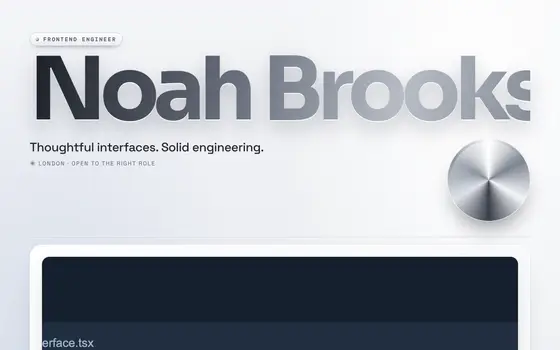 Liquid Chrome
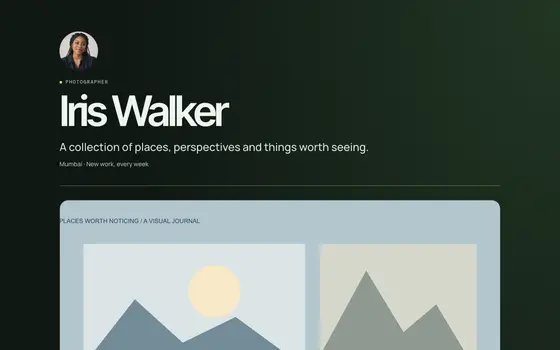 Venture