Instagram is a good place to sell an e-book because your followers already trust your advice. What it doesn't have is a checkout for digital files: Instagram Shopping is built for physical goods. So the job is to get people from a post to a payment page to the file, with as few steps as possible. This guide covers the options, including UPI and Razorpay for sellers in India.
Quick steps
- Finish the e-book as a PDF and write a one-page sales description.
- Pick a checkout: a payment page from Razorpay or Stripe, or a store tool.
- Set up automatic delivery of the file after payment.
- Put the checkout or store link in your Instagram bio.
- Post content that shows the e-book's value and points to the link.
- Use Story link stickers and DMs for launch days.
Step 1: Package the e-book
Export a clean PDF and a cover image. Write a sales description with what the reader will be able to do after reading, who it's for, the table of contents and one sample page. Price it simply; in India, ₹199 to ₹999 is common for practical guides, and a single price beats tiers at the start.
Step 2: Choose a checkout
There are three common routes:
- A payment link or payment page from your gateway: Razorpay Payment Pages or Payment Links in India, Stripe Payment Links elsewhere. Cheapest, but you handle delivery yourself unless you use a delivery add-on.
- A store platform (Gumroad, Stan, Topmate, Superprofile and others) that hosts the page, takes payment and delivers the file. Easiest, but many take a commission per sale on top of payment fees.
- A link-in-bio page with built-in products, where the payment goes through your own gateway account.
Selling in India: UPI and Razorpay
Most Indian buyers want to pay by UPI. Razorpay supports UPI, cards, netbanking and wallets on one checkout, and you need a Razorpay account with KYC (PAN, bank account, and a website or social profile describing what you sell) before you can accept payments. Activation usually takes a few days.
Sharing your personal UPI ID or QR code in DMs works for the first few sales but doesn't scale: you have to check every payment and send the file by hand, and there's no invoice. A gateway checkout delivers automatically and gives you records for tax.
Fees, GST and payout timing are covered in our guide to selling digital products in India. Check Razorpay's current pricing page before you set your price; standard domestic fees are a small percentage per transaction plus GST on the fee.
Step 3: Deliver automatically
Whatever you use, the buyer should get the file within a minute without you doing anything. Store platforms do this by default. With a plain payment link, add a thank-you redirect to a download page, or an email with the file. Test the full flow with a real payment of a small amount and refund yourself.
Step 4: Put it in your bio and Stories
Add the checkout or store link under Edit profile, Links in the Instagram app, titled with the outcome ("30-day budget plan, ₹299"). On launch days, add a link sticker to Stories: create a Story, tap the sticker icon, choose Link, paste the URL and give it custom text. Every Story should say what the reader gets, not just "new e-book".
Step 5: Content that sells it
Teach one idea from the book for free in a carousel, then point to the book for the full system. Share reader results with permission. Answer comments with the specific chapter that solves their question. Reels reach new people; carousels and Stories convert followers. Manual DMs to people who asked are fine; mass-DMing strangers isn't.
A launch week that doesn't feel salesy
- Day 1: post the problem the e-book solves, with a carousel teaching one part of the answer. Mention that a full guide is coming and ask who wants the link.
- Day 2: Story poll or question box about the problem; reply to answers personally.
- Day 3: launch post with the cover, what's inside and the price; link in bio and a Story link sticker.
- Day 4: share a sample page and answer the top three questions from DMs.
- Day 5: share the first reader reactions (with permission).
- Day 7: last day of the launch price, if you offered one, then return to normal content.
Pricing and refunds
Start with one price you'd be happy to sell at for months; frequent changes make early buyers feel cheated. A short launch discount is fine if you state the end date and keep it. Write a refund policy before the first sale (for example, refunds within 7 days if the file doesn't match the description) and put it on the checkout page. Digital products rarely get refund requests when the description is honest about what's inside.
How featurd does it
featurd puts the e-book on your link in bio page as a product with a cover, description and buy button, next to your other links. On Pro, paid products sell through your own Razorpay or Stripe account with 0% featurd fee (your gateway's fee still applies), and buyers get the file automatically. Free products and lead magnets work on the free plan. Ivo can also draft an e-book from your notes if you're starting from scratch. You see clicks on the product from Instagram in your page analytics.
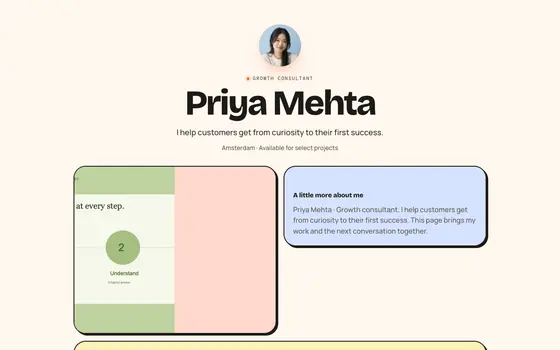 Bento Candy
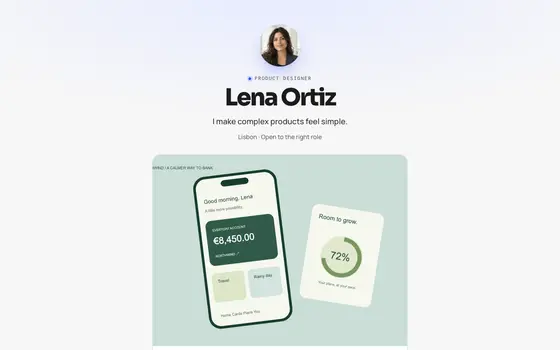 Signal