You don't need a website to sell a template, a guide or a preset pack. You need three things: a page that explains the product, a way to take payment, and a way to deliver the file. Each can be a few minutes of setup. This guide walks through the options from cheapest to most complete, with the trade-offs nobody mentions.
Quick steps
- Decide the product, the price and the file format.
- Choose one route: payment link, store platform or link-in-bio page with products.
- Write a short product page: outcome, contents, who it's for, preview.
- Connect payment and automatic delivery.
- Test with a real small payment.
- Share the link where your audience already is.
Route 1: A payment link
Stripe Payment Links, Razorpay Payment Links or Pages, and PayPal all let you create a checkout URL in minutes. You pay only the payment processor's fee. The catch is that a payment link is not a product page: there's little room to explain the product, and delivery is up to you (a redirect to a download page or a manual email). Good for selling to people who already know what they're buying, like a workshop audience.
Route 2: A store platform
Gumroad, Lemon Squeezy, Payhip, Stan, Topmate, Superprofile and others host a product page, take payment and deliver files. Setup takes under an hour. In exchange, many take a percentage per sale on top of the processor fee, or charge a monthly subscription, and the product lives on their domain with their branding. Read the pricing page carefully; fee structures change and differ by plan and country.
Some platforms act as merchant of record, which means they handle sales tax or VAT for you. That's a real benefit if you sell to many countries.
Route 3: A link-in-bio page with products
If your buyers come from Instagram, LinkedIn, YouTube or a newsletter, the link in your bio is already where they land. A link-in-bio page that can sell puts the product next to your other links, proof and contact, so one page does everything. Look at whether the tool takes a cut, whose payment account the money goes to, and whether delivery is automatic.
Write a product page that converts
Whichever route you choose, the product page needs:
- A title that names the outcome: "Notion client portal template", not "Template v2".
- Three to five bullet points on what's inside.
- Who it's for and who it isn't for.
- A preview image or sample pages.
- Price, refund policy and how delivery works.
- One or two testimonials once you have them.
Delivery, refunds and records
Automate delivery from day one; manual delivery breaks the first time you're asleep when someone buys. Decide your refund policy before your first sale and state it on the page. Keep payment records for tax: gateways and store platforms give you exports. Indian sellers should read selling digital products in India for UPI, GST and TDS notes.
Getting the first ten sales
Sell to the people who asked first: anyone who emailed a question the product answers. Then teach the core idea for free in a post and link the product. Offer a launch price for a few days. If you're on Instagram, see selling an e-book on Instagram for bio and Story steps.
Cost example: one ₹499 template, 100 sales
Gross sales: ₹49,900. Every route pays a payment processor fee, typically a couple of percent per transaction in India (check your gateway's pricing page; GST applies to the fee). On top of that, a store platform that takes a 10% commission would take about ₹4,990 more. A monthly subscription tool charges a flat fee regardless of sales. A payment link, or a link-in-bio product with 0% platform fee, pays only the processor.
At low volume, commission-based tools can be cheaper than a subscription; at higher volume the flat fee usually wins. Work out your break-even with your own numbers before choosing, and count the time cost of manual delivery if you go the cheapest route.
Product ideas that sell without an audience
Things people already search for and pay to save time on: templates (Notion, Figma, spreadsheets, contracts), checklists and SOPs for a specific job, preset and asset packs, short practical guides, and recorded workshops. The best first product is the answer to a question people already ask you repeatedly.
When you do need a website
There's a point where a full site makes sense: many products with categories, a blog that brings search traffic, a course with lessons and logins, or a brand that sells to businesses who expect one. Until then, a product page and a link do the job. You can always move later; keep your customer list and files somewhere you control so switching tools is a weekend, not a rebuild.
Whatever you choose, keep the product page honest. Show the real contents, the real format and the real size of the file. Buyers who get exactly what the page promised leave good reviews and buy again; buyers who feel misled ask for refunds and tell others. Honest pages are also the ones that convert best over time.
How featurd does it
featurd is route 3. Your page holds your links, work and contact, and you add products (e-books, templates, guides, sessions) with a cover, description and buy button. Free products and lead magnets work on the free plan. On Pro, paid products sell through your own Stripe or Razorpay account with 0% featurd fee, and files are delivered automatically; your gateway's fee still applies. No funnels or upsells: if you need those, a course platform fits better.
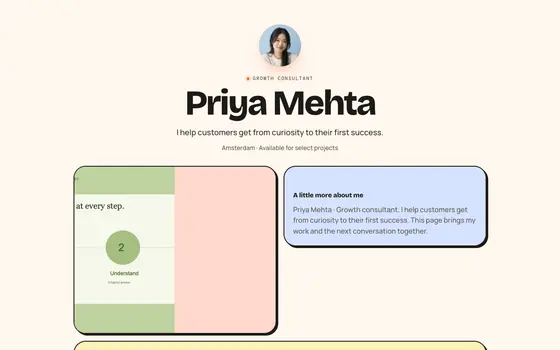 Bento Candy
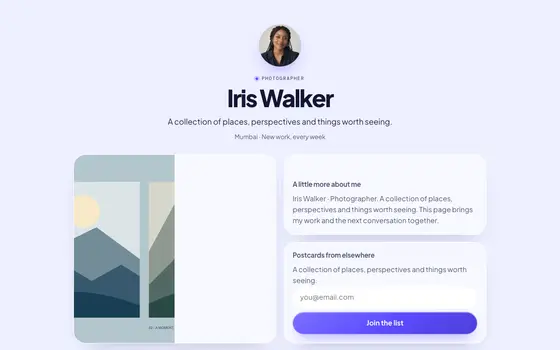 Bento Glass