A personal page for tutors
With tutoring, the person who reads your page is usually a parent deciding who to trust with their child, or an adult learner who's been let down before. Clarity about subjects, levels, results and safety matters more than design flourishes.
What your page should include
- Subjects, levels and exam boards you teach
- Qualifications and teaching experience
- Lesson format, length, price and cancellation policy
- Results described without naming children
- A free trial lesson or call to book
Sections that work
What I teach → How lessons work → Results → Free resources → Book a trial lesson
Looks to start from
Paper or Clay: friendly, readable, unfussy. Ivo can restyle any of them to your colours.
How families choose a tutor
Parents usually ask other parents first, then check a couple of names on tutoring marketplaces, school WhatsApp groups or Google. Adult learners, like someone preparing for IELTS, the GRE or a career change, search more directly. Either way, the decision comes down to the same questions: can you teach this level, do your students improve, and do I feel safe with you?
Marketplaces help you get started but take a cut of every lesson and make it hard for families to book you directly once you're established. A page you own is where referrals land.
Be precise about subjects and levels
"Maths tutor" is a start; "GCSE and A-level Maths, AQA and Edexcel, plus Year 6 entrance exams" is what a parent searches for. In India, name the boards and exams: CBSE, ICSE, IB, JEE, NEET, CAT. For languages, list the levels and exams, like DELF B1 or JLPT N4.
Then explain how a lesson works: online or in person, length, what happens between lessons, how you report progress to parents. That paragraph often decides it.
Safeguarding and privacy
When you teach children, the page should reflect the same care you show in lessons. Don't post students' names, photos or school names without written permission from a parent or guardian, and most tutors avoid it entirely. Describe progress instead: "Year 11 student, predicted 4, achieved 7". If you hold a background check, like a DBS check in the UK or police verification in India, say so; many parents look for it.
Set the contact form to ask parents for their own details and the student's year group, not the child's phone number. Keep payment and detailed records in the tools you already use.
Your featurd setup
- Header: name, subjects, levels and "online and in person in South Delhi".
- Text: "How lessons work", in a short paragraph.
- Offers: lesson prices by level, packs of ten, and your cancellation policy in one line.
- Metrics: results across students, like "Average improvement of two grades", if you can stand behind them.
- Testimonials from parents, with a Trust proof so the review is confirmed. Use first name and the student's year, not the child's name.
- Products: free worksheets or past-paper walkthroughs to earn an email, on every plan; paid revision packs on Pro through your own Stripe or Razorpay with 0% to featurd.
- Book: a free trial lesson, synced with Google Calendar, asking the year group and exam date.
- FAQ: missed lessons, materials, what parents receive after each session.
An example page
Ms Ananya Bose teaches IB and CBSE Physics online from Kolkata. Her page uses Paper: off-white, clear type, a small photo of her at a whiteboard. Under her headline, three lesson types with prices: Grade 10 at ₹1,200 an hour, IB HL at ₹2,000 an hour, and a ten-lesson exam pack. Four parent reviews follow, each with a verified mark and the student's grade, then a free "Kinematics in 12 problems" PDF.
A booking section offers a free 30-minute trial lesson. The FAQ explains that parents get a two-line summary after every lesson, and a footer notes her police verification certificate.
Answer the parent's unspoken questions
Parents rarely ask these outright, but they decide on them:
- Will my child actually like this person? A short video introduction, or a warm photo and two friendly sentences, helps.
- How will I know it's working? Say how you report progress: a note after each lesson, a monthly check-in or mock-test scores.
- What if it doesn't work out? A clear cancellation and refund policy reads as confidence, not risk.
- Is the online setup reliable? Name the tools you use, like a shared whiteboard and Google Meet, and say what the student needs.
Group classes and courses
If you run small group batches or a recorded course, list each batch as an offer with its start date, timings and seats left. A goal bar counting bookings works well for a batch with a fixed number of seats.
Keep families coming back
Exam calendars are predictable. A subscribe section with "Revision reminders before board exams" brings families back every year, and a waitlist (free on every plan) lets you fill next term's slots before it starts. When a parent asks for details, send a tracked link and you'll see when they've read it.
To start, give Ivo your CV or marketplace profile and pick a look in Explore. Teaching adults professionally? Our coaches page covers programmes and packages.
Looks to start from
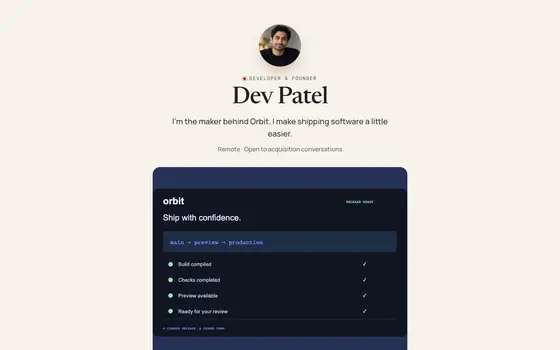 Paper
PaperEditorial serif for writers and advisors.
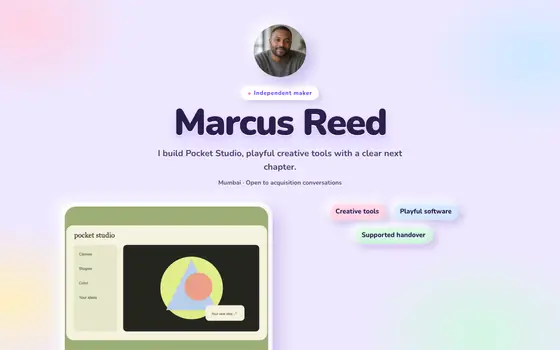 Clay
ClaySoft 3D claymorphism: puffy pastel tiles and squishy, bouncy buttons.
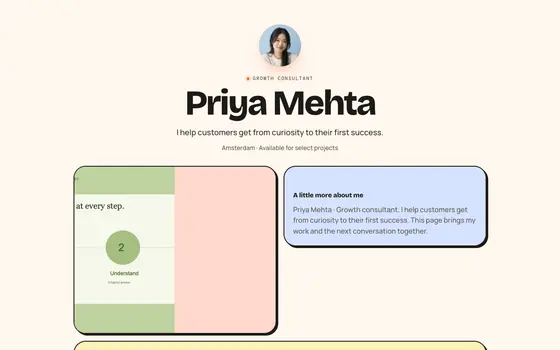 Bento Candy
Playful bento: every tile its own pastel, chunky type, a little bounce.
See all 36 templates, live pages in Explore, or describe your own and Ivo builds it.
Questions
What should a tutor's website include?
Subjects, levels and exam boards, your qualifications, how lessons work and what they cost, results described without naming students, and an easy way to book a trial lesson.
Can parents book lessons directly?
Yes. Booking syncs with your Google Calendar, so parents pick a free slot and both of you get reminders. Add one or two questions, like the child's year group and exam date.
Should I post photos of my students?
Not without written consent from a parent or guardian, and many tutors avoid it entirely. Describe progress instead: "Year 11 student, grade 4 to grade 7 in two terms".