Instagram is where a lot of coaches, consultants, photographers and freelancers get discovered, and a booking link is the shortest path from "I like this" to a call on your calendar. This guide shows how to add a Calendly link (the steps are identical for Cal.com, TidyCal, SavvyCal or Google Calendar booking pages), how to make people actually tap it, and what to do when one link isn't enough. Instagram's menus move around; the steps below match the app on 21 October 2026.
Quick steps
- Copy your Calendly link from Calendly: open the event type and use Copy link.
- In the Instagram app, go to your profile and tap Edit profile.
- Tap Links, then Add external link.
- Paste the URL, give it a title such as Book a call, and tap Done.
- Drag the link to the top of the list if you have more than one, then save.
- Write a bio line that tells people why to book, and test the link from another account.
Before you start: pick the right Calendly link
Calendly gives you two kinds of link. Your profile link (calendly.com/yourname) shows every event type you offer. An event link (calendly.com/yourname/30min) goes straight to one meeting. For Instagram, the event link almost always converts better: someone tapping from a phone wants one obvious choice, not a menu of five meeting types.
Rename the event so it reads well to a stranger. "30 Minute Meeting" says nothing. "Free 20-minute intro call" or "Portrait session enquiry" tells them what they're booking. Add two or three questions on the booking form (what they need, budget range, deadline) so you arrive prepared and can politely turn away poor fits.
Finally, check the event's availability, buffer and minimum notice. Instagram traffic is bursty: one post or Reel can send twenty bookings in an evening. A minimum notice of 12 to 24 hours and a daily limit protect your calendar.
Step by step: adding the link in the Instagram app
Instagram lets you add up to five external links to your profile, and multiple links can only be set up in the mobile app. Here's the path as of 21 October 2026:
- Open the Instagram app and go to your profile (your photo in the bottom right).
- Tap Edit profile.
- Tap Links, then Add external link.
- Paste your Calendly URL. Include https:// so Instagram treats it as a link.
- Add a title. Titles are optional but matter once you have more than one link: "Book a call" beats "calendly.com".
- Tap Done, then reorder so the booking link is first. Only the first link is shown in full; the rest sit behind a "and N more" tap.
- Save, then open your profile from a friend's phone or a logged-out browser and tap the link to confirm it opens the booking page.
If the link won't save
Instagram occasionally refuses a URL or flags it. The usual causes: a missing https://, a typo, or a link shortener Instagram treats as suspicious. Paste the full Calendly URL rather than a shortened one. If Instagram still blocks it, wait a few hours and try again; new accounts and accounts that edit links many times in a row are rate-limited. Business and creator accounts may also see an Action buttons option under Edit profile that offers booking partners; that's an alternative, not a requirement.
Make the bio do the selling
The link only gets tapped if the 150 characters above it give people a reason. A pattern that works for service businesses: who you help, the result, and an instruction. For example: "Brand photographer for Bengaluru founders. Calm shoots, fast edits. Book a free 15-min call below."
Then point to it from your content. Mention "link in bio to book" in captions, add a link sticker to Stories when you have slots open, and pin a post that explains what happens on the call. People hesitate when they don't know what they're signing up for; a short "here's what we'll cover" removes that.
Use our free character counter to fit the bio in 150 characters, and the UTM builder if you want Calendly or Google Analytics to show which bookings came from Instagram.
When one booking link isn't enough
Most professionals need more than a calendar. A prospective client wants to see work, prices and reviews before they book. If your one Instagram link goes straight to Calendly, they either book blind or leave to google you. If you also add links to a portfolio, a price list and a WhatsApp number, you've used four of your five slots and buried the booking.
That's the case for a single page in your bio: proof at the top, a starting price, and the booking button. Our booking link in bio guide covers how to lay that page out, and what to put in your link in bio covers it by goal.
Calendly alternatives work the same way
Cal.com, TidyCal, SavvyCal, Zoho Bookings and Google Calendar's appointment schedules all give you a public URL. Copy it and follow the same Instagram steps. Choose by what you need: payment at booking, team round-robin, or simply a free tool that syncs with your calendar.
How featurd does it
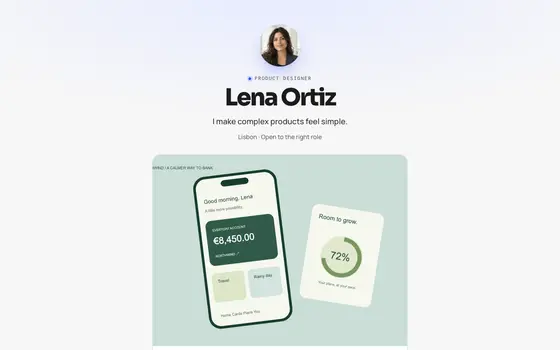
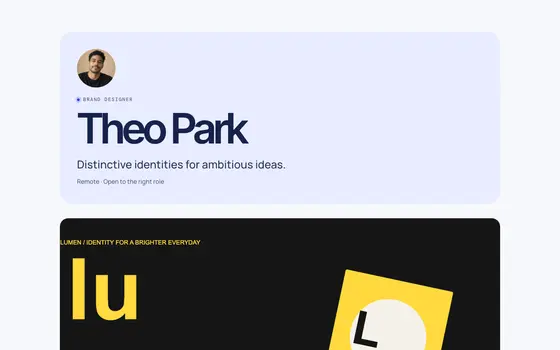
featurd drafts that page from your LinkedIn, resume or current site in about a minute, then you add your Calendly link to the contact section (or use featurd's own bookings, which sync with Google Calendar) so visitors book without leaving your page. Every tap is counted, so you can see whether Instagram visitors scroll to the booking button or bounce at the portfolio. The free plan covers all of this; Pro adds a custom domain, unlimited links, chat with visitors and paid products at 0% platform fee.
 Signal
 Atelier