The Retro OS template
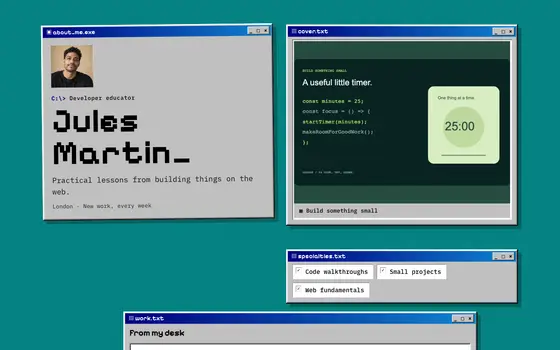
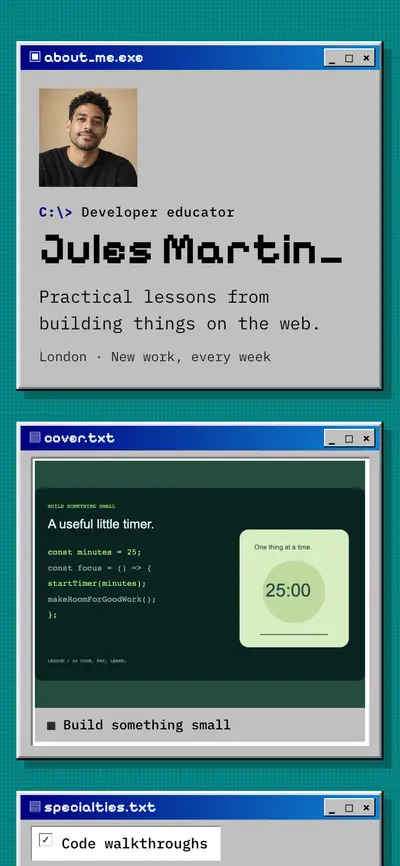
A 90s desktop: every section a bevelled window with a title bar, pixel type and a Start taskbar.
Who Retro OS suits
Developers, indie game makers and nostalgic creators. Every section as a bevelled 90s window with a Start taskbar is a wink people remember.
Windows are perfect for side projects and tools: one window per project with a link to try it. It's playful, so pair it with clear project descriptions.
Professions it fits
A developer page should answer what you build, how well, and where the proof lives: shipped products, open source, writing.
CreatorsA creator's link has to work for two audiences at once: followers looking for your latest thing and brands or clients deciding whether to work with you..
DesignersA design portfolio is judged in the first ten seconds by someone skimming on a phone.
Make it yours
Name sections like files or apps ("projects.exe", "contact.txt"). The joke works when you commit to it.
Every look is a style layer over your own content, so switching never rewrites your page. Change colours and fonts by hand, or ask Ivo to adapt Retro OS to your brand. All styling, including custom CSS, is free on every plan.
Questions
Who is the Retro OS template for?
Developers, indie game makers and nostalgic creators. Every section as a bevelled 90s window with a Start taskbar is a wink people remember.
Is the Retro OS look free?
Yes. Retro OS, like every featurd look, is free on every plan, including custom colours, fonts and CSS.
Can I switch away from Retro OS later?
Yes. A look only changes styling, so your sections, links, products and bookings stay exactly as they are when you switch.